For the clinic
From the front desk to the chair.
Booking, the patient’s file, the dental chart, billing, X-rays, stock and the team. The clinic’s whole day in one system, on the clinic’s PC or online.
01 The day
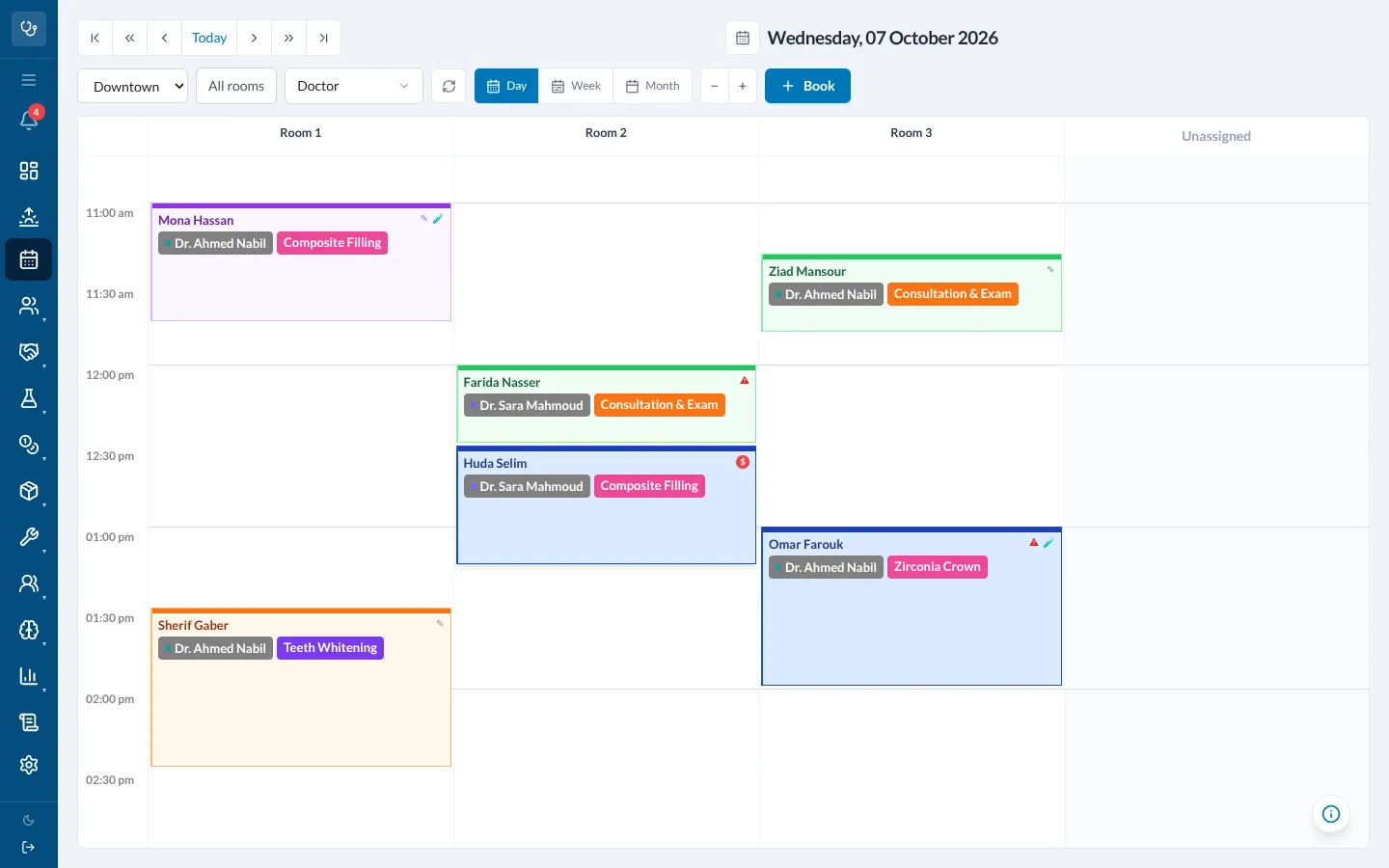
A calendar the whole clinic reads the same way.
Rooms side by side, each doctor with a colour, and every visit coloured by where it stands. Drag a visit to move it or stretch it to change its length. Theia asks before it double-books a doctor and never double-books a room.
- Every visit has a doctor; a second doctor can join it.
- Repeat a visit weekly or monthly, or hold a slot for a caller who has no file yet.
- Point at a visit to read its comments and the patient’s file notes.
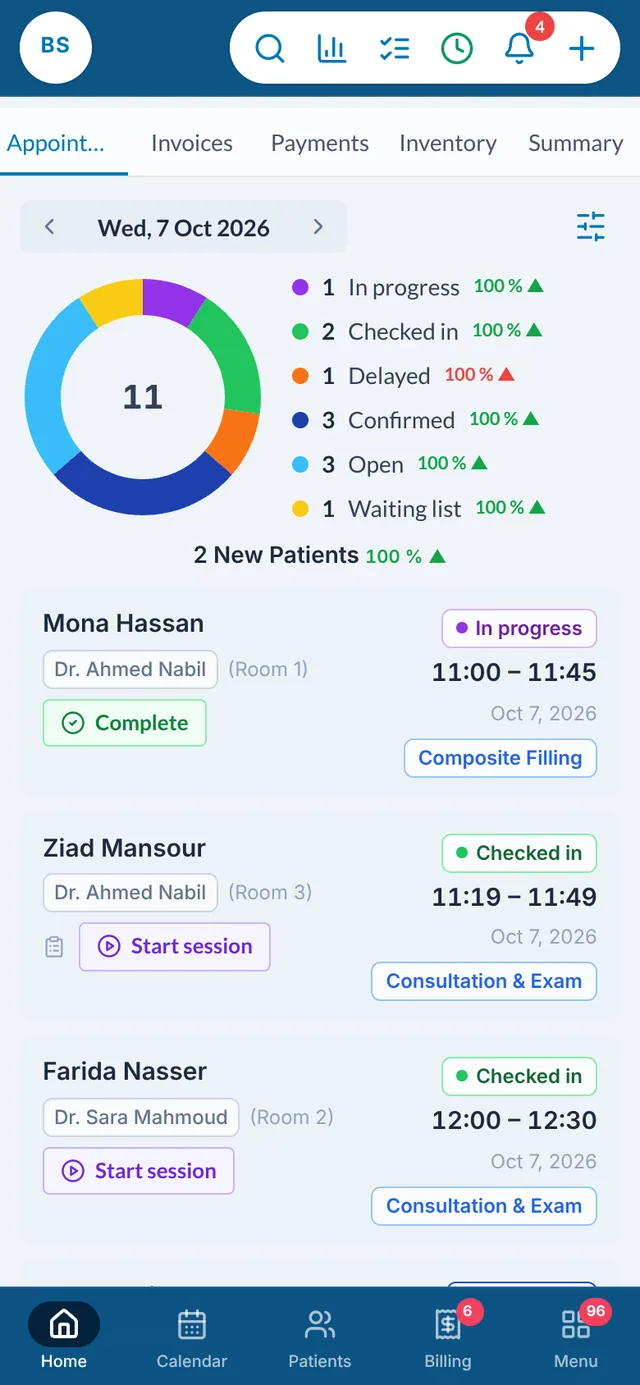
- On the phone: the day’s ring by status, one tap to check in, start and complete.
Nine statuses, nine colours
- Open
- Confirmed
- Checked in
- In progress
- Completed
- Delayed
- Cancelled
- No show
- Waiting list
02 Patient file
Everything about the patient, with the warnings first.
Allergies and medical alerts sit in a red strip above every tab of the file, so nobody treats a patient without seeing them. The rest is one click away.
- Medical history and the patient’s own questionnaire
- Visits, treatment plan, prescriptions and consents
- Photos, X-rays and documents
- Families and guardians, linked
- Phone numbers in international format, searched by any part
- A personal page for the patient: visits, balance and plan, in English or Arabic
03 Dental chart
Chart by surface, root and canal.
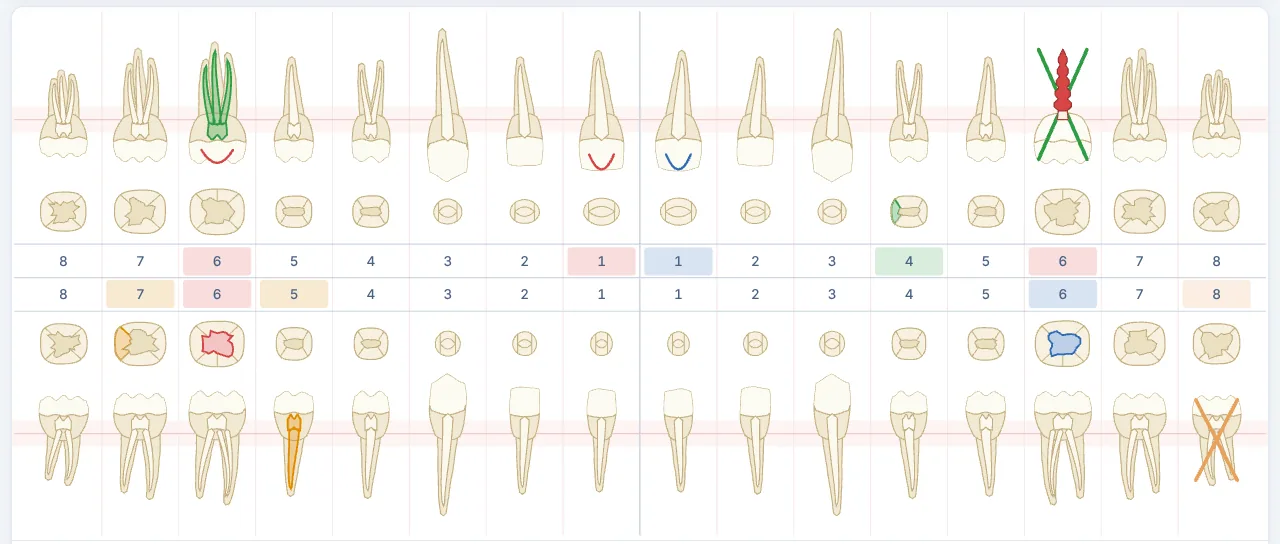
Click the surface, the root, the canal or the tooth number, then the condition or the treatment. Each record is planned, in progress, completed or existing, and the chart draws it in that colour.
- FDI numbering, adult and child teeth
- An extraction crosses the tooth out; an implant is drawn on top of the X
- Root canal treatment charted per tooth, painted on every canal
- A perio chart with pocket depths, bleeding and mobility
- Each act shows its price and can have its own
- Turn the chosen acts into an invoice, with a discount and VAT
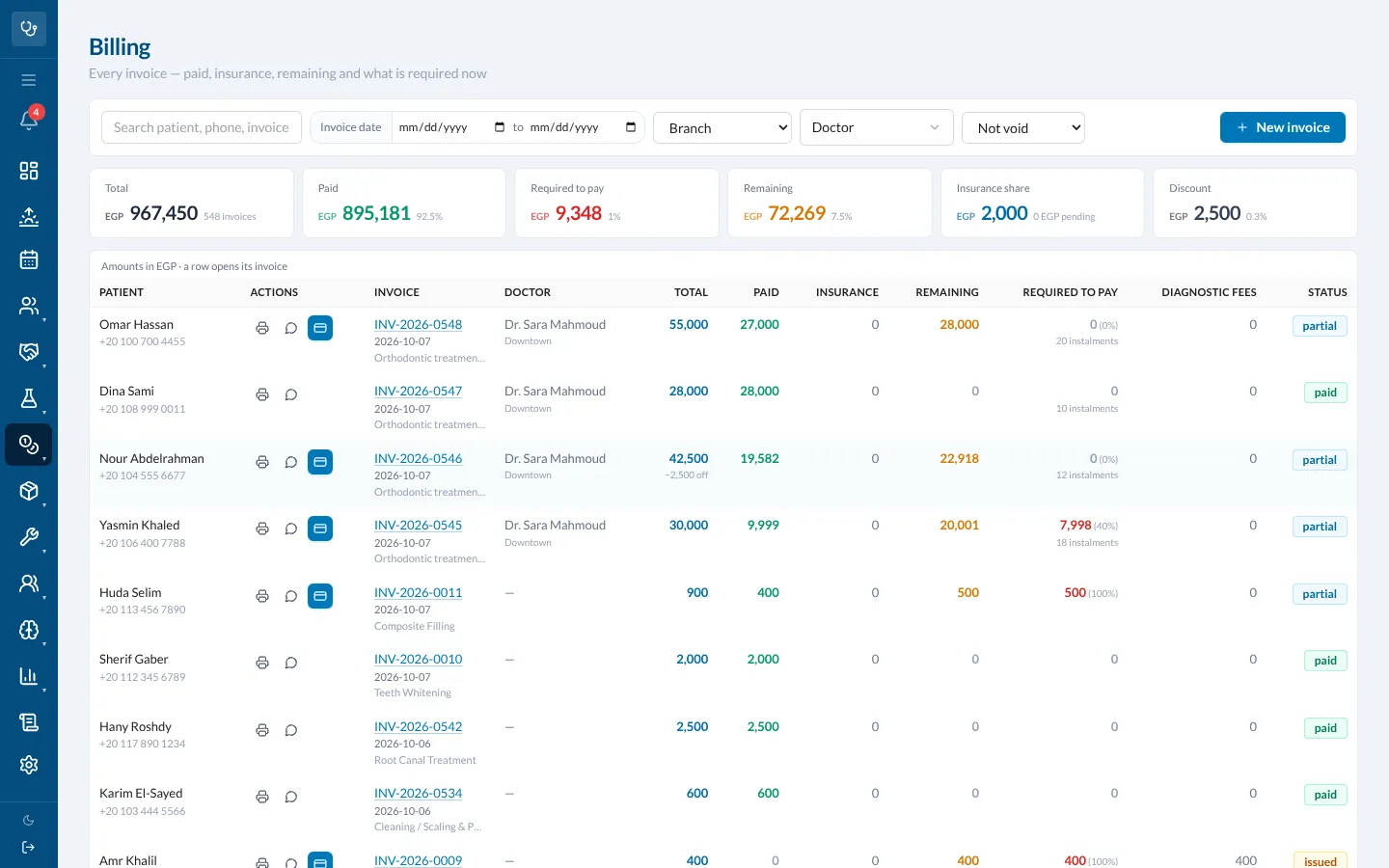
04 Billing
Invoices, payments and what is still owed.
An invoice can start from the chart, the treatment plan or a single visit. Theia keeps what each patient paid, what insurance covers and what is left.
- Payments by cash, card or transfer; instalment plans
- Quotations the patient signs, then turned into invoices
- VAT, discounts and signed invoices
- Price groups for companies and insurers
- Expenses and the day’s cash, by branch
05 X-rays
Take the X-ray from inside the patient’s file.
With the sensor plugged into the clinic’s PC, press Take X-ray, pick the tooth and shoot. Every exposure lands on the patient and the tooth while you keep going.
X-ray capture works on Theia installed on the clinic’s PC. A sensor cannot reach the online version.
- Carestream / Kodak RVGthrough its TWAIN driver
- Eighteeth NanoPix
- Woodpecker i-Sensor
- Vatech EzSensor
- Sirona Xios
- Any TWAIN sensor
- Panoramic and ceph unitsfrom the folder their software exports to
- A vendor’s imaging programopened with the patient’s details
06 Orthodontics and children
Specialties with their own screens.
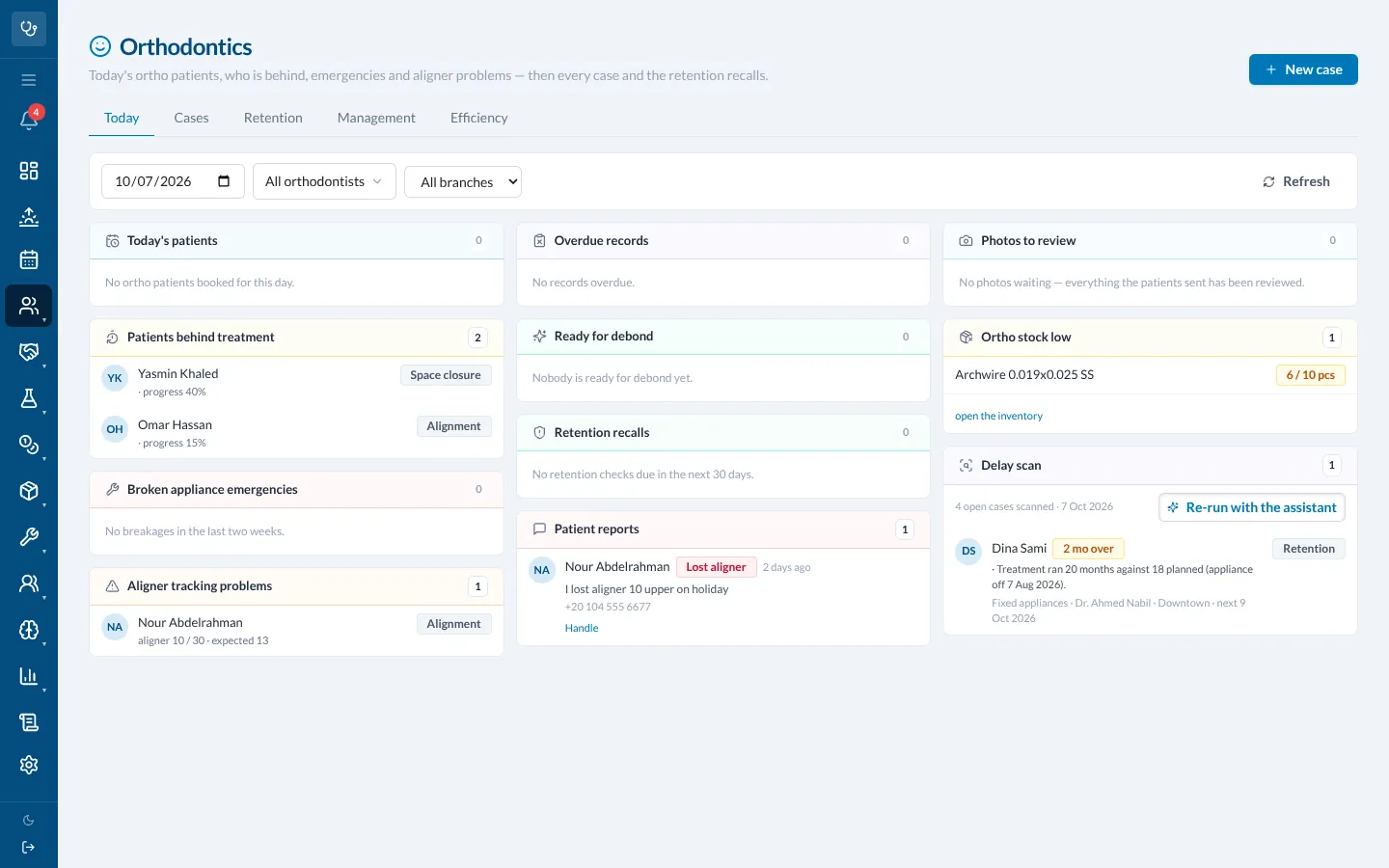
Orthodontics follows each case visit by visit: the stage, the mechanics, aligner tracking, cephalometric tracing against norms, lab referrals, contracts and handovers to the next orthodontist. It assists the orthodontist and never decides the treatment.
Children gets child and family profiles, visits for brothers and sisters booked together, behaviour notes and the primary teeth on the chart.
07 Bringing patients back
Leads, recalls and the treatment nobody booked.
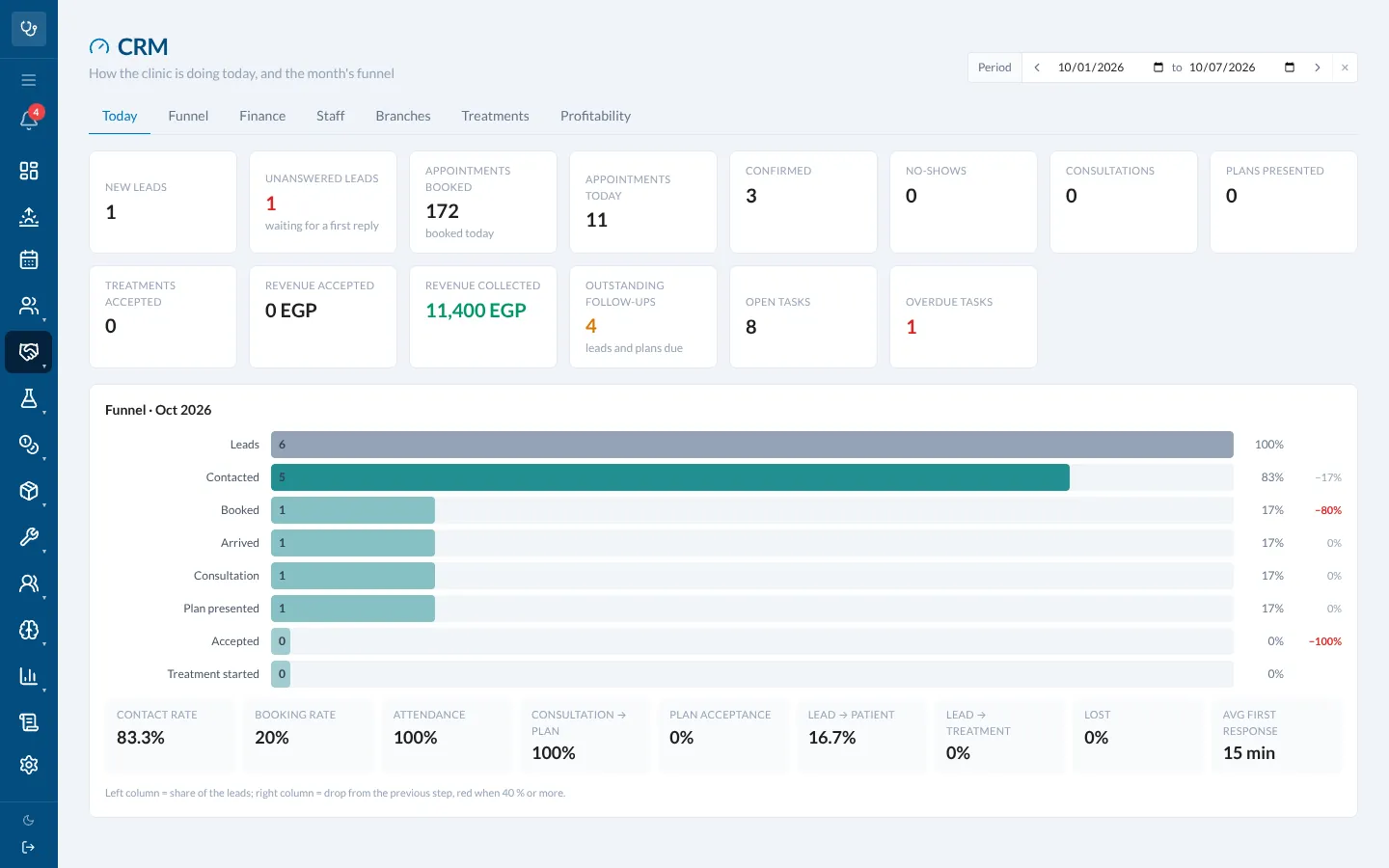
New enquiries come in from the clinic’s booking page, its website form and QR codes, and move along a pipeline to the first visit. Patients who are due, overdue or who left a plan half-done are found for you.
- Confirmations, reminders, follow-ups and birthdays, ready on WhatsApp or SMS
- Recalls and reactivation lists by treatment and date
- Referrals, reviews, complaints and loyalty
- Tasks for the call centre and the treatment coordinator
- What each source and campaign brought in
08 The team
Who is in, who is late, and what they are paid.
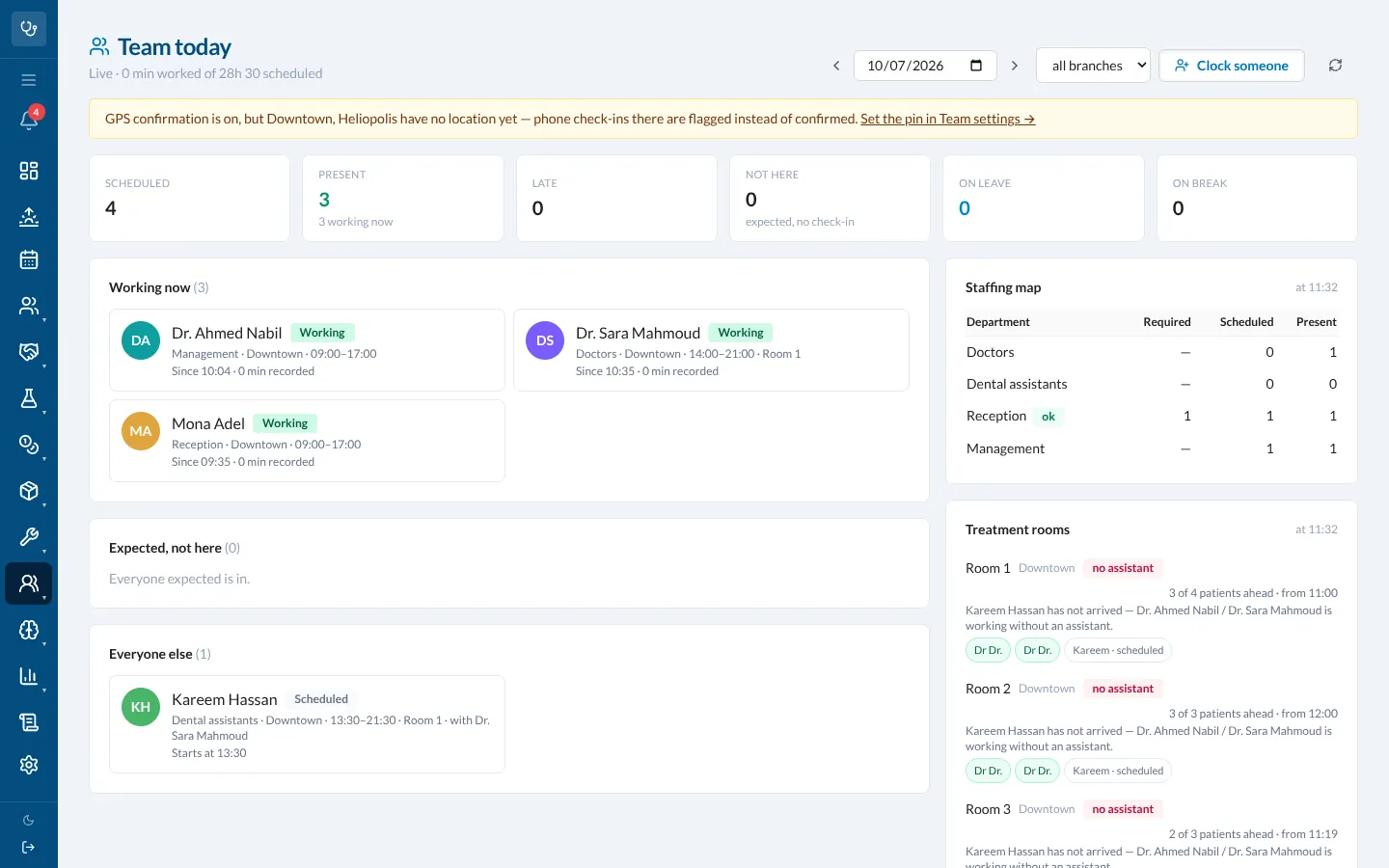
Staff check in at a kiosk, with the branch’s QR code or from their phone. A phone check-in counts only at the branch, and a missing photo or face is flagged, never refused. Shifts, leave, overtime and payroll come from the same days.
- Rosters, swaps and cover for an absent colleague
- Leave balances and requests with approvals
- Planned overtime and a monthly payroll in Excel
- Rights per module: each person sees what their role needs
09 Stock
Know what is on the shelf before it runs out.
Items, suppliers, purchase orders and expiry dates, for each branch and a central store. Photograph a box and Theia says which of your items it is.
- Minimum levels and reorder drafts
- Batches and expiry
- Materials used per treatment
- Transfers between branches and a master store
10 Copilot and voice
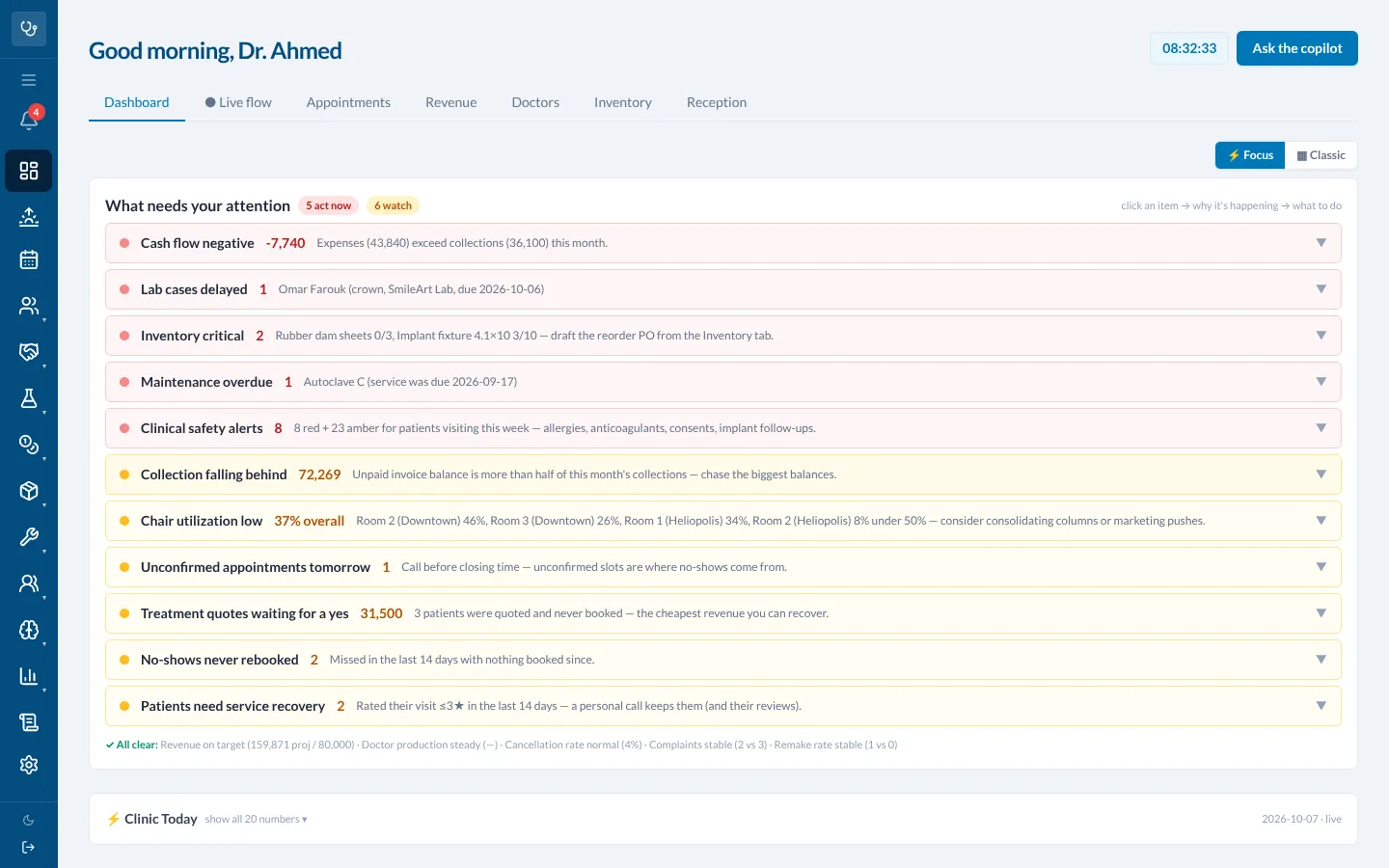
The morning starts with what needs attention.
Money owed, lab cases running late, stock below its minimum, clinical alerts for this week’s patients and quotes waiting for a yes, ranked by what to do first.
Ask the copilot in plain words and it answers from the clinic’s own records, or books, moves and notes for you. Dictate the chart, the file and the visit note in English or Arabic.
The copilot runs on Anthropic’s Claude and needs an AI key added in Settings. Without one, everything else works.